Best Appliance Repair Software
Scheduling, dispatch, pricebook, and parts workflows for appliance repair teams
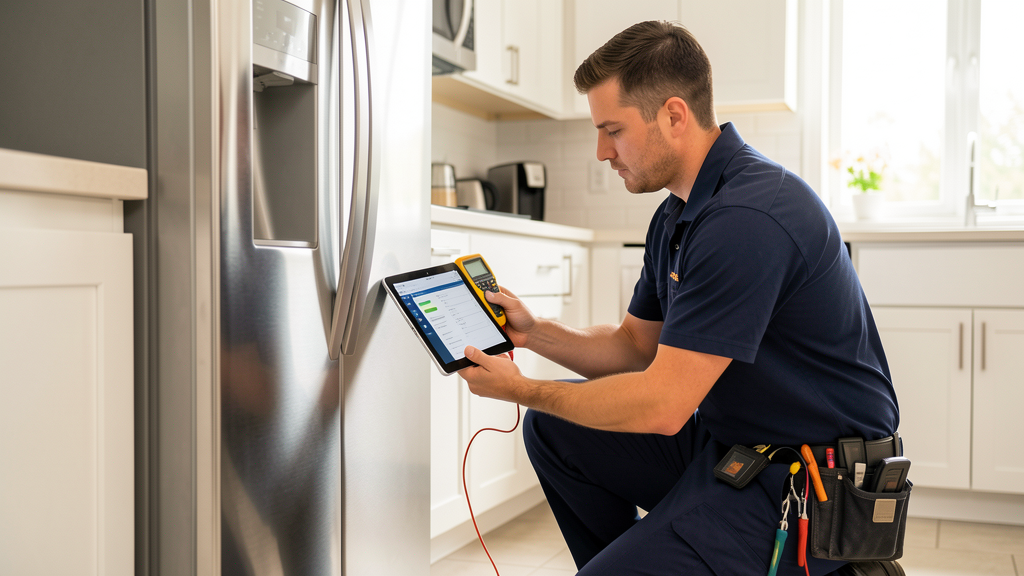
Do you need this
software yet?
Appliance repair work looks simple until repeat customers, parts delays, and warranty calls pile up.
A shop needs more than dispatch once it starts tracking appliance models, photos, replacement parts, customer approvals, technician notes, and payment status across multiple visits. The right system keeps those details attached to the job instead of scattered across texts and paper tickets.
- ✓Dispatchers are moving jobs between multiple technicians each day
- ✓Technicians need appliance history, photos, notes, and quote options in the field
- ✓Parts delays, callbacks, and warranty visits are hard to track cleanly
- ✓Customer reminders, payments, and review requests are inconsistent
- —You handle a few appliance calls each month from one truck
- —A simple calendar, invoice app, and parts spreadsheet still show every open job
- —You are not ready to maintain services, products, and pricebook records
- —The main problem is lead volume rather than dispatch or job history
Affiliate disclosure: Some links on this page may be affiliate links. If you purchase through one, ContractorSoftwareHub may earn a commission at no extra cost to you. Every product is evaluated independently based on features, pricing, and user feedback.
ServiceTitan
"The strongest appliance-specific operating system in this list, but only when the shop has the dispatch volume, pricebook ownership, and budget to use it."
ServiceTitan publishes a dedicated appliance repair software page and frames the product around tracking technicians, inventory, costs, jobs, estimates, invoices, and customer communication. The fit is strongest for companies that want a full operating system, not just a calendar and invoice tool.
- +Appliance repair positioning and pricebook depth
- +Dispatch, call booking, mobile estimates, invoicing, and reporting in one platform
- +Useful for larger shops that need office-to-field visibility
- −No public dollar pricing or self-service trial
- −Implementation, data setup, pricebook maintenance, and contract terms need written review
- −Too heavy for solo or very small appliance repair shops
Housecall Pro
"Strong customer-facing workflow for small teams, with online booking, reminders, review tools, and a 14-day trial."
Housecall Pro covers scheduling, dispatch, estimates, invoices, payments, online booking, customer notifications, and review management. It is not appliance-specific, but it is often easier to adopt than enterprise tools for a 1-10 tech residential repair shop.
- +Online booking and reminder workflow fits homeowner repair calls
- +14-day trial and public plan pricing
- +Essentials adds customer equipment tracking and QuickBooks connectivity
- −No preloaded appliance parts catalog
- −Advanced reporting, equipment records, and QuickBooks tools sit above Basic
- −Offline editing remains limited compared with the needs of some rural routes
Jobber
"The simplest public-pricing choice for many small appliance shops, especially when the main need is reliable daily workflow instead of appliance-specific inventory."
Jobber is a general field service platform with scheduling, quotes, invoices, payments, client hub, and follow-up tools. It does not solve appliance parts complexity, but it gives small teams a clean way to manage jobs and customers.
- +Low entry price and 14-day no-card trial
- +Client Hub lets customers approve quotes, see appointments, and pay invoices
- +Quote follow-ups and reminders help reduce admin work on repeat repairs
- −No appliance-specific parts catalog or diagnostic workflow
- −Job costing and deeper reporting require higher tiers
- −Larger multi-tech shops may outgrow the generalist workflow
Zoho FSM
Affiliate disclosure: we may earn a commission.
"Zoho FSM is a practical budget candidate when appointment volume is modest and the team already likes the Zoho ecosystem."
Zoho FSM prices by monthly appointment volume. The free edition supports 30 appointments per month, while paid Standard, Professional, and Premium tiers add more workflow controls as appointment count rises. It is not appliance-specific, so setup discipline matters.
- +Free edition for very small appointment volume
- +Standard paid pricing starts low compared with most field service tools
- +Dispatch, work orders, estimates, invoices, mobile app, and automation are listed in the free plan
- −Appointment-volume pricing can become harder to compare as the shop grows
- −No appliance repair pricebook or prebuilt parts database
- −Buyers must map Zoho setup, users, and integrations before switching
Dynamics 365 Field Service
Affiliate disclosure: we may earn a commission.
"A serious enterprise field service system for Microsoft-centered operations, not a practical first tool for most independent appliance repair shops."
Microsoft Dynamics 365 Field Service publishes full Field Service pricing at $105 per user per month paid yearly, with a Contractor license at $50 per user per month. It can support dispatch, work orders, schedule optimization, contractor users, and Microsoft ecosystem reporting, but it needs admin ownership.
- +Full enterprise field service feature set
- +Works best inside a Microsoft data, finance, and reporting environment
- +Contractor license can help with third-party technician access
- −Per-user annual pricing and implementation effort are high for small shops
- −Resource Scheduling Optimization is a separate add-on
- −Usually requires Microsoft admin or partner support
Appliance repair software gets expensive fast if you buy for the shop you hope to be instead of the one you run today. For affordable scheduling and dispatching, see our Jobber review and Housecall Pro review. A solo technician may only need a calendar, invoices, payment links, and a dependable place to store customer equipment notes. A larger shop needs call booking, dispatch, technician notes, customer history, part status, callback tracking, and a pricebook the office actually trusts. This roundup is about finding that line.
Disclosure: Some links on this page are affiliate links. If you sign up through one, I earn a small commission at no extra cost to you. My recommendations do not change based on that.
Right for: Appliance repair owners comparing software for scheduling, dispatch, quotes, invoices, payments, customer communication, and repeat service history.
Not for: Shops expecting software to ship with a complete, ready-to-use appliance parts database. Even the stronger systems need part setup, pricebook discipline, and technician adoption.
How to Choose Appliance Repair Software
Start with the place jobs are breaking, not with the longest feature list. Appliance repair creates a lot of loose ends: delayed parts, customers who reschedule around work, warranty calls that come back, and technicians who need the model number or photo from the first visit. If those details are buried in texts, the office will lose the thread sooner or later.
For a one-truck shop, the tool should make the week easier right away. Look for a clean calendar, quick estimates, invoice links, customer reminders, and a mobile app the owner can use between calls. Jobber and Housecall Pro are the first demos I would run because they publish prices, offer trials, and cover the core residential workflow without a long implementation project.
If you are still deciding whether this is an appliance-specific problem or a broader field-service problem, compare this shortlist with the best field service software roundup and the contractor scheduling software guide.
Once there are several techs, the buying decision changes. Dispatchers need to see skill, location, appointment window, part status, customer notes, and whether the right part is on the truck. The owner needs pricebook consistency, revenue by technician, callback patterns, and service agreement or warranty reporting. ServiceTitan is stronger at that level, but only if someone owns pricebook, training, reports, and data cleanup.
Budget tools can still be the right call. Zoho FSM stands out because the free plan supports modest appointment volume and paid tiers start at low published rates. The tradeoff is fit. Appointment-volume pricing is different from user pricing, and a generic setup will not know a dryer belt from a compressor relay or a warranty follow-up unless the shop builds that process.
Quick Picks
ServiceTitan
Best for: Established appliance shops
Custom quote
Appliance repair positioning, dispatch depth, pricebook tools, and office-to-field controls.
Housecall Pro
Best for: Customer communication
From $59/mo annual Basic
Online booking, reminders, reviews, customer equipment tracking on higher tiers, and a 14-day trial.
Jobber
Best for: Small shop value
From $29/mo annual Core
Simple quotes, scheduling, invoices, payments, client hub, and quote follow-up.
Do You Need This Yet?
Software pays for itself when lost job details are costing time, callbacks, or payment speed. Use these two checks:
- You do not need it yet if one technician can see every open job, part order, and invoice in a calendar and a simple spreadsheet.
- You need it now if the office is asking who has the part, which customer needs a callback, whether the warranty visit was billed, or why a quote never became an invoice.
If you are between those points, start with a lighter public-pricing tool before you step into an enterprise sales process. Put one week of real jobs through Jobber or Housecall Pro. If the trial exposes limits around pricebook, dispatch complexity, inventory, or reporting, then ServiceTitan is a more serious conversation.
For the most common small-shop decision, use the Jobber vs Housecall Pro comparison alongside your trial notes. If the real question is whether to stay light or move into a larger sales-led platform, the Housecall Pro vs ServiceTitan comparison gives that tradeoff more room.
Product Reviews
1. ServiceTitan - Best for established appliance shops
What stands out: ServiceTitan has a dedicated appliance repair software page and frames the product around technician tracking, inventory, costs, estimates, invoices, dispatch, customer communication, and accountability. That is relevant because appliance repair needs more than a basic calendar. The office needs model notes, photos, customer history, and part status attached to the service call.
It also has the strongest pricebook story in this list. Shops that sell repair-versus-replacement options, maintenance plans, or repeat service can benefit from structured estimates and technician presentation tools. The catch is upkeep. A stale pricebook can hurt margin as badly as having no pricebook.
Where it falls short: ServiceTitan is sales-led, quote-only, and a real operations project. The public pricing page explains packages and per-technician pricing, but not dollar amounts. Buyers need a written quote that separates subscription, onboarding, payment processing, training, add-ons, renewal terms, cancellation rights, and data export.
Pricing: Custom quote. Treat any exact cost as sales-confirmed. For smaller appliance shops, compare the first-year ServiceTitan total against Jobber and Housecall Pro using the same number of technicians, office users, payment needs, and accounting workflow.
If ServiceTitan is on the shortlist mainly because the shop is outgrowing simpler tools, read the broader ServiceTitan review before the demo and write down which workflows need to justify the implementation effort.
Best for: Appliance repair companies with 8+ technicians, steady call volume, office staff, and a manager willing to own pricebook, reporting, and field adoption.
Read our full ServiceTitan review →
2. Housecall Pro - Best for customer communication
What stands out: Housecall Pro fits appliance repair companies that win by making the homeowner experience easier. Online booking, reminders, on-my-way messages, estimates, invoices, payments, and review requests stay close to the job record. Many appliance repair customers care less about software depth than whether the shop shows up, communicates, and makes payment easy.
There is also a useful equipment angle. Essentials adds customer equipment tracking, QuickBooks connectivity, employee GPS tracking, and a visual price book. That is usually where an appliance repair shop should start testing if Basic feels too thin. The higher tier costs more, but the equipment record may matter more than another calendar feature.
Where it falls short: It is not appliance-specific. There is no built-in manufacturer parts database, no automatic diagnostic tree, and no magic fix for part-order delays. Reporting and job-costing depth should also be tested before a shop with many technicians commits.
Pricing: Housecall Pro lists Basic at $59/month when billed annually, Essentials at $149/month annually, and MAX at $299/month annually, with higher month-to-month reference prices. The 14-day trial requires no credit card and is useful for running a real repair workflow.
Best for: Residential appliance repair shops where booking, customer communication, review follow-up, and simple mobile field work are the main needs.
Read our full Housecall Pro review →
3. Jobber - Best value for small shops
What stands out: Jobber is often the safest first system for an owner-led appliance repair business. Pricing is public, setup is lighter than enterprise tools, and the mobile workflow covers the basics: job details, quotes, invoices, payments, notes, forms, photos, and reminders. The Client Hub gives customers a place to approve quotes and pay without calling the office.
For appliance repair, Jobber’s value is fewer loose ends. A small shop can stop rebuilding estimates, missing follow-ups, and hunting for unpaid invoices. Quote follow-up and customer reminders can matter more than a niche feature when the current process depends on memory.
Where it falls short: Jobber does not solve appliance-specific inventory or complex warranty workflow. Job costing and deeper reporting also sit on higher tiers. If the company needs technician profitability, parts usage by appliance type, or pricebook governance, Jobber may be too light.
Pricing: Jobber Core starts at $29/month when billed annually or $49 month-to-month for one user. Connect, Grow, and Plus add team versions, automations, job costing, two-way SMS, and growth tools. The trial is 14 days with no card.
Best for: One to ten technician appliance repair shops that want a clean daily workflow before buying a heavier system.
4. Zoho FSM - Best budget appointment-based option
What stands out: Zoho FSM makes sense when price sensitivity is real and appointment volume is still manageable. The free plan supports 30 appointments per month and includes work orders, estimates, dispatch console, service reports, invoicing and payments, users and equipment, standard reports, mobile app, workflow automation, and APIs. Paid Standard pricing starts at $25/month when billed annually for 60 appointments.
The appointment-volume model can fit small shops that want to grow slowly without jumping into per-technician pricing. It also fits buyers who already use Zoho products and are comfortable configuring work inside that ecosystem.
Where it falls short: Appointment-volume pricing is harder to read than per-user pricing. Once volume grows, compare the real monthly cost against Jobber and Housecall Pro. Also, Zoho FSM is general field service software. It will not create an appliance repair process unless the shop defines services, parts, statuses, forms, and reports.
Pricing: Free for 30 appointments per month. Paid Standard starts at $25/month on annual billing at the 60-appointment level, with Professional and Premium costing more as appointment count rises. Zoho advertises a no-card trial.
Best for: Cost-conscious appliance repair shops that have modest appointment volume and a willingness to configure their own workflow.
5. Dynamics 365 Field Service - Enterprise only
What stands out: Dynamics 365 Field Service belongs here only because some larger appliance service organizations already run Microsoft systems. The product supports work orders, dispatch, field service processes, scheduling, contractor access, guides, remote assistance, Copilot-related functions, and Microsoft data workflows.
If an appliance service organization has internal Microsoft administration, finance systems, reporting requirements, and external technician management needs, Dynamics can be a serious platform. It is not a simple small-business app.
Where it falls short: Pricing and implementation make it hard to justify for independent shops. Full Field Service is $105 per user per month paid yearly, while the Contractor license is $50 per user per month paid yearly. Resource Scheduling Optimization is listed separately at $30 per resource per month paid yearly.
Pricing: $105/user/month paid yearly for Dynamics 365 Field Service. $50/user/month paid yearly for the Contractor license. Budget for implementation, admin time, and any Microsoft or partner support required.
Best for: Large appliance service organizations already invested in Microsoft operations, not owner-operators or small residential repair teams.
Pricing and Fit Comparison
| Software | Starting Price | Best Fit | Trial or Demo |
|---|---|---|---|
| ServiceTitan | Custom quote | Established appliance repair companies | Demo |
| Housecall Pro | $59/mo annual Basic | Customer communication and booking | 14-day trial |
| Jobber | $29/mo annual Core; $49 monthly | Small shop field service workflow | 14-day trial |
| Zoho FSM | Free plan; Standard from $25/mo annual at 60 appointments | Budget appointment-volume pricing | Trial |
| Dynamics 365 Field Service | $105/user/mo paid yearly | Enterprise Microsoft operations | Free trial listed |
What Appliance Shops Should Test Before Buying
Do not choose software from a dashboard demo alone. Build a test week around real appliance repair jobs. Start with a dishwasher repair where the customer sends photos, a refrigerator job that needs a second visit after a part order, a warranty callback, and a washer repair that turns into a replacement recommendation. The software should keep the customer, appliance notes, quote, invoice, payment, and technician photos tied to one record.
Parts are the make-or-break test. Ask each vendor how the system handles ordered parts, installed parts, truck stock, non-stock items, returned parts, and warranty parts. A product can have excellent dispatch and still fail if the office cannot tell which jobs are waiting on parts. For ServiceTitan, ask how pricebook and inventory are set up during onboarding. For Jobber and Housecall Pro, test how products, services, notes, and custom fields can approximate the workflow. For Zoho FSM, test appointment and work order status design before importing real customers.
Customer communication deserves the same pressure test. Appliance repair customers often schedule around work, renters, property managers, or warranty companies. Send an estimate, reschedule a visit, issue an on-my-way message, collect payment, and trigger a review request. If the software makes those steps easier, it can create value even without appliance-specific features.
For mobile-heavy shops, also pressure-test the technician app against the criteria in the field service management mobile app guide. Appliance repair work breaks down fast when photos, part notes, customer approvals, and payment status do not travel cleanly with the technician.
Team-Size Buying Guide
A solo owner-operator should start with Jobber, Housecall Pro Basic, or a simple Zoho FSM setup. The goal is to cut admin, collect payment faster, and stop losing customer notes. Buying ServiceTitan at that stage usually creates a management burden the owner does not have time to carry.
A two- to seven-technician shop should compare Jobber Connect or Grow against Housecall Pro Essentials. This is where QuickBooks, customer equipment records, quote follow-up, online booking, and job costing start to matter. Price the real team, including office users and any dispatcher, rather than only the owner login.
An eight-plus technician appliance company with dispatchers and steady call volume should include ServiceTitan. The demo should show a real call-booking workflow, a pricebook estimate, a part-order delay, technician mobile use, invoice closeout, and management reports. If those processes are not already causing weekly pain, a lighter tool may still be the better buy.
An enterprise appliance service organization already using Microsoft finance, data, or support systems can evaluate Dynamics 365 Field Service. Bring IT, operations, finance, and field leadership into the decision because implementation ownership will matter as much as the license price.
For Microsoft-centered teams, the dedicated Dynamics 365 Field Service review and the Dynamics 365 Field Service vs Housecall Pro comparison help separate enterprise platform fit from small-shop usability.
FAQ
What is the best appliance repair software for small shops?
Jobber is usually the safest first choice when a small appliance repair shop mainly needs quotes, scheduling, invoices, payments, and customer follow-up. Housecall Pro is better when online booking, reminders, review management, and customer communication are the bigger pain points.
When should an appliance repair company consider ServiceTitan?
Consider ServiceTitan when the company has enough technicians, office staff, pricebook needs, and reporting requirements to justify a sales-led rollout. If the business does not have someone responsible for setup, pricebook maintenance, training, and reporting, ServiceTitan can become too much software.
Do any of these tools include a complete appliance parts catalog?
No tool in this roundup should be treated as a ready-made appliance parts database. ServiceTitan has stronger pricebook and inventory infrastructure, but the shop still has to build and maintain its own services, parts, pricing, and workflows.
Is Zoho FSM enough for appliance repair?
Zoho FSM can be enough for a cost-conscious shop with modest appointment volume and simple workflow needs. It works better when the buyer is comfortable configuring services, parts, statuses, users, and reports instead of expecting an appliance-specific setup out of the box.
How should I compare pricing across these tools?
Compare the full first-year cost, not just the starting plan. Include technician users, office users, add-ons, implementation, payment processing, accounting integration, data migration, training, and the plan tier required for the features you actually need.
What should I ask during a demo?
Ask the vendor to walk through a real appliance repair job from customer call to dispatch, technician visit, estimate, ordered part, second visit, invoice, payment, and callback. If the vendor cannot show the details that cause problems in your shop, the demo is not specific enough.
ServiceTitan is the strongest appliance-specific option for established shops that can support a sales-led rollout. Jobber and Housecall Pro are safer first systems for small residential repair companies. Zoho FSM is a budget candidate when appointment volume is modest. Dynamics 365 Field Service belongs on the list only for larger organizations already invested in Microsoft systems.