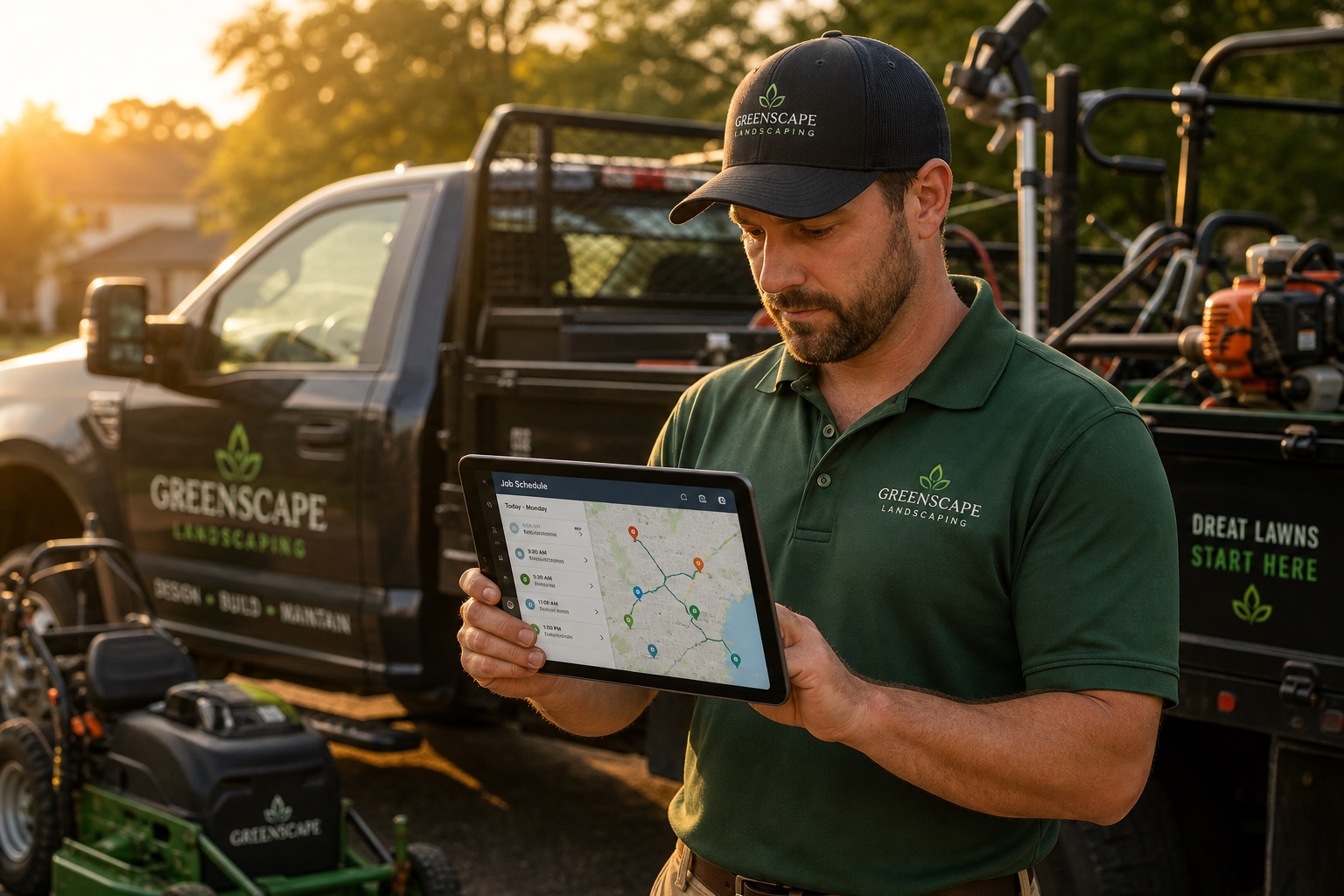
SingleOps fits tree-care work better than a generic field-service app, but it is not priced like a starter tool. Granum’s current pricing page gives enough public detail to pin down the baseline: Essential starts at $220 per month on monthly billing or $200 per month on annual billing, and the real bill can rise with extra office or sales users, GPS/timesheet needs, implementation, payment processing, and add-ons. For alternatives, see our best tree service software roundup and GorillaDesk review.
That is why the verdict is conditional. SingleOps can make sense for arborists, tree-care companies, plant health care teams, and green-industry businesses that need estimating, scheduling, client communication, payments, QuickBooks, routing, and reporting in one place. It is harder to justify for solo operators, maintenance-only landscapers, or mixed-trade contractors that will not use the green-industry depth. If the business is more commercial landscape than tree care, compare the Aspire review and the Aspire vs LMN comparison before assuming SingleOps is the best Granum fit.
Right for: Tree-care and green-industry companies that will use estimating, proposals, scheduling, payments, QuickBooks, routing, reporting, and crew coordination every week.
Not for: Small maintenance crews, solo operators, or contractors that mostly need a low-cost calendar, invoice, and customer list.
Disclosure: Some links on this page may be affiliate links. If you sign up through one, ContractorSoftwareHub may earn a small commission at no extra cost to you. Recommendations do not change based on that.
Third-party rating: Software Advice lists SingleOps at 4.4 out of 5 across 107 reviews, with the highest sub-score around customer support and the lowest around value for money. That lines up with the buying decision here: companies that need arborist-specific workflow depth are more likely to see the value, while smaller crews should be careful about the base subscription plus extra office or sales users.
SingleOps at a Glance
| Area | 2026 source-checked finding | Buyer caution |
|---|
| Pricing | Essential $220/mo monthly or $200/mo annual; Plus $385/$350; Premier $550/$500. | Extra office/sales users are priced separately and can change the total quickly. |
| Best-fit trade | Granum now positions SingleOps most clearly around tree care and arborist business management. | Landscapers should verify whether SingleOps or LMN is the better Granum product. |
| Core workflow | Estimating, scheduling, client management, invoicing, digital documents, payments, email/texting, reporting, and QuickBooks Online start on Essential. | Essential may be enough for one crew, but route/GPS and advanced modules live higher. |
| Plus tier | Options-based proposals, job-site measurements, map-based scheduling, Google Calendar, automations, QuickBooks Desktop, custom fields, weather, and API items. | Plus is the more realistic tier for businesses that need more than basic estimating and scheduling. |
| Premier tier | Route optimization, inventory, purchase orders, business insights, route memorization, automations, historical import, and GPS-related capability. | Confirm whether Timesheets/GPS is included or add-on for your package. |
| Trial | Official pricing flow is demo-led. | Ask for a sandbox, pilot, or sample account before rolling it out to crews. |
What Changed in This Audit
- Pricing is no longer vague. The review now uses Granum’s public SingleOps pricing page instead of broad third-party ranges.
- Extra user fees are now visible. Additional office or sales users cost $55/$50 on Essential, $115/$100 on Plus, and $150/$125 on Premier depending on monthly or annual billing.
- Tier gates were clarified. QuickBooks Online appears in Essential; QuickBooks Desktop appears in Plus; route optimization and inventory sit in Premier; Timesheets/GPS needs written confirmation because page language can treat it as add-on or higher-tier capability.
- Tree-care positioning was narrowed. The current Granum page frames SingleOps as tree-care business-management software for arborists. Landscaping teams should still evaluate it, but not assume it is the best Granum product for every landscaping workflow.
- Unsupported user-sentiment claims were removed. The updated review uses official pricing and subscription-tier details instead of unsourced comments about what users report.
Feature Deep Dive
Estimating, Proposals, and Client Documents
Essential starts with quick estimating, digital documents, invoicing, integrated payments, email, texting, client management, and scheduling. For a tree-care company, the practical value is keeping the lead, estimate, work order, and invoice tied together instead of scattered across separate apps.
Plus adds options-based proposals and job-site measurements. That fits arborist sales calls where buyers often need choices: remove one tree, prune two trees, add stump grinding, include plant health care, or phase the job. Options-based proposals can make that conversation clearer than a single flat estimate.
The subscription-tier documentation also lists production rates and quantity-based pricing under Plus. If your estimating depends on crew production, equipment type, travel time, and job-site measurements, this is a main reason to evaluate SingleOps instead of a generic service-business app.
Scheduling, Routing, and Field Coordination
SingleOps Essential includes flexible scheduling. Plus adds map-based scheduling, route planner access, and batch rescheduling. Premier adds route optimization and route memorization. The distinction matters: the lower tier can organize jobs, while the higher tiers are where route-heavy operations start to make more sense.
Tree-care and plant-health work depends heavily on geography, equipment, crew makeup, weather, and customer timing. A simple calendar can work for one crew. Once multiple crews and service areas are involved, map-based scheduling and route optimization can save office time and cut wasted drive time.
Before signing, ask SingleOps to build a route from your real jobs. Include estimates, approved jobs, recurring services, emergency work, and callbacks. If the route logic matches how your dispatcher already thinks, the software has a better chance of sticking. Landscapers still comparing route-heavy systems should also read the Jobber alternatives for landscaping companies guide.
QuickBooks, Payments, and Accounting Hand-Off
SingleOps documentation lists QuickBooks Online integration on Essential and QuickBooks Desktop integration on Plus. The pricing page also describes integrated invoicing and payments with automatic sync back to SingleOps and QuickBooks.
That is useful, especially for tree-care companies that want field work, invoices, payments, deposits, renewals, and client communication tied back to QuickBooks. Buyers still need to test the exact workflow. QuickBooks integration quality depends on item mapping, deposits, taxes, classes, payments, refunds, and error handling.
Bring your bookkeeper into the demo. Ask which records sync, which system is the source of truth, how failed syncs are repaired, and whether Desktop requires Plus. If QuickBooks is the reason you choose SingleOps, do not let it be a five-minute demo segment.
Reporting, Inventory, Purchase Orders, and GPS
Essential includes reporting. Premier adds business insights reporting, purchase orders, inventory, route optimization, route memorization, and automation depth. This is where SingleOps moves beyond basic job management.
Inventory and purchase orders are especially relevant for plant health care, landscape supply, and companies that track materials, products, or equipment-related costs. For pure tree pruning, inventory may not drive the buying decision. For plant health care and landscape supply work, it can be a bigger factor.
GPS and timesheet language should be confirmed in writing. The pricing page and subscription-tier documentation reference GPS-related capability and timesheets, but plan-card language can make these appear add-on dependent. Ask sales to state exactly whether Timesheets, Labor Tracking, GPS, Greenius, and related workforce tools are included in the quoted package.
SingleOps Pricing Explained
| Plan | Monthly billing | Annual billing | Additional office/sales users | Best fit |
|---|
| Essential | $220/mo | $200/mo | $55/mo monthly or $50/mo annual | Single-crew businesses that need estimating, scheduling, client management, invoicing, documents, payments, email/texting, reporting, and QuickBooks Online. |
| Plus | $385/mo | $350/mo | $115/mo monthly or $100/mo annual | Teams that need options proposals, job-site measurements, map scheduling, automations, Google Calendar, QuickBooks Desktop, custom fields, weather, and API items. |
| Premier | $550/mo | $500/mo | $150/mo monthly or $125/mo annual | Three-plus crew operations that need route optimization, route memorization, purchase orders, inventory, business insights, automations, historical imports, and GPS-related tools. |
The public price table is helpful, but it is not the whole cost. A realistic year-one estimate should include subscription, added office/sales users, implementation, payment processing, QuickBooks setup, data cleanup, route/GPS tools, training, and any add-ons such as Greenius or Timesheets/GPS if they are not included in the quoted package.
For a single-crew business with one extra office or sales user, Essential can move from $220 to $275 per month on monthly billing. A company on Plus with two extra office/sales users can move from $385 to $615 per month before implementation or add-ons. That does not automatically make SingleOps too expensive, but the headline tier price is only the starting point.
Year-One Budget Examples
A small tree-care company on Essential with one added office or sales user should budget at least $3,300 per year on monthly billing before payment processing, data cleanup, and any add-on services. Annual billing drops the subscription math slightly, but the office-user fee still matters. That price can work if SingleOps replaces estimating, scheduling, invoices, customer records, texting, payments, and QuickBooks handoff. It is expensive if the company only needs a shared calendar and a way to send invoices.
A growing arborist company on Plus with two added office or sales users reaches $615 per month on monthly billing, or $7,380 per year before implementation and add-ons. Premier with two added office or sales users reaches $850 per month on monthly billing. At that level, buyers should be testing route optimization, inventory, business insights, automations, and GPS-related workflows in the demo because those are the features that need to justify the spend.
The best way to evaluate SingleOps is to price it against labor saved and mistakes prevented. If the software helps an estimator send cleaner options, keeps work orders out of text threads, reduces drive-time planning, and gets invoices paid faster, the subscription can be justified. If the team will still run routes in spreadsheets, manage QuickBooks by hand, and use only the calendar, SingleOps is too much for the job.
Demo Questions That Matter
Ask SingleOps to build a sample job from lead intake through paid invoice. Include a tree inventory record, an options-based proposal, a route change, field photos, a payment, and a QuickBooks sync. Then ask what happens when a customer changes scope after approval or when a crew needs to add work from the field. That walkthrough will tell you more than a feature checklist.
Also ask which users are free and which users are paid. The pricing page calls out additional office or sales users, but the implementation quote should spell out admin users, sales users, crew users, estimators, subcontractors, and customer portal access. For a green-industry company with several office roles, seat rules can change the total more than the plan tier itself.
Where SingleOps Falls Short
Entry Price Is High for Small Crews
Essential starts at a price many small crews will feel right away. If you mostly mow, clean up beds, or run simple maintenance routes, a lighter product may cover the core workflow for less money.
No Public Self-Serve Trial
The official pricing page checked for this review pushes Book a Demo, not a self-serve trial. That is common for higher-touch industry software, but it makes crew adoption harder to judge. Ask for a sandbox or pilot so the dispatcher, estimator, and field team can test the workflow before the contract is signed.
Green-Industry Focus Can Be a Limit
SingleOps is strongest when the business really does tree care, arborist, plant health care, or similar green-industry work. If your revenue is mixed across construction, handyman, roofing, excavation, or general contracting, you may pay for features that do not fit the rest of the company. Mixed-trade operators should compare broader options in the best field service software roundup before committing to a green-industry platform.
Implementation Still Needs an Owner
Granum’s pricing page describes implementation specialists, customer-success access, and live support. That helps, but tree-care software only works when someone inside the company owns setup decisions. That person needs to define estimate templates, service categories, production rates, customer tags, QuickBooks mapping, route rules, and field-user expectations before the whole team is asked to adopt the system.
If nobody has time for that work, SingleOps can become another expensive database that only the office partially trusts. The vendor can help configure the platform, but the company has to decide how it sells, schedules, routes, invoices, and reports jobs.
Internal readiness is part of the purchase decision. A prepared buyer will get more value from the same subscription than a rushed buyer with messy data and unclear responsibilities.
SingleOps Alternatives
SingleOps vs Arborgold
Arborgold is another green-industry option with published pricing and a long history in tree care and landscaping. Compare plan structure, onboarding, mobile workflow, route tools, QuickBooks behavior, office/mobile-user pricing, and whether each system fits tree care or broader landscaping better.
SingleOps vs Jobber
Jobber is usually easier to buy and easier to understand for small service businesses. It has clear public pricing and a simpler CRM, scheduling, quotes, invoices, payments, and customer communication model. SingleOps is the better candidate when tree-care estimating, map scheduling, proposals, QuickBooks, route optimization, and green-industry workflows justify the higher cost.
SingleOps vs GorillaDesk
GorillaDesk is a strong option for pest control and route-based service. It is not a tree-care estimating platform in the same way SingleOps is. Choose GorillaDesk when route service is the center of the business; evaluate SingleOps when arborist estimating, proposals, and green-industry operations are the center.
Who Should Buy SingleOps
- Tree-care and arborist companies that need estimating, scheduling, proposals, documents, payments, QuickBooks, routing, and reporting in one system.
- Plant health care teams that need route planning, customer records, invoicing, renewals, and material/service tracking.
- Landscaping businesses with serious design-build or green-industry operations that find generic field-service software too thin.
- Companies with a real office owner for implementation who can manage QuickBooks setup, templates, crew training, and workflow decisions.
Who Should Look Elsewhere
- Solo operators and small maintenance crews that mainly need scheduling, reminders, estimates, invoices, and payments.
- Trial-first buyers that need hands-on testing before a sales process.
- Mixed-trade contractors that would not use tree-care or green-industry features enough to justify the spend.
- Teams without clean QuickBooks or customer data that are not ready for a structured implementation.
Bottom Line
SingleOps is a conditional recommendation because it fits a specific buyer well and many other contractors poorly. For arborists and green-industry companies that need more than a generic service app, the official tiers cover estimating, scheduling, proposals, payments, QuickBooks, routing, reporting, inventory, purchase orders, and GPS-related tools as the plan level rises.
The caution is total cost. The entry plan is not cheap, extra office/sales users are visible line items, and higher-value route/GPS/inventory/reporting workflows live above the base tier or need add-on confirmation. A buyer should ask for a complete year-one quote instead of relying on the plan-card price.
Choose SingleOps if tree care, arborist, plant health care, or green-industry operations are central enough to justify a specialized system. Skip it if a simpler, lower-cost tool can handle the work you actually sell.